Note: this quick start guide applies to the following items:
- FGW101: Heated Gloves Liberty H2O
- FGW102: Heated Gloves Liberty H2O Ladies
- FGW103: Heated Gloves Freedom H2O
Please note, the included lithium-ion battery is not fully charged.
Please fully charge before use. Only use a 5V @ 2.1A USB-A adapter for charging.

01. Fully charge both batteries to 100%.
(Note: To check the remaining power of your batteries, shortly press the side battery power button once and the battery indicator lights will show the remaining power for 30 seconds.)
02. Open each glove pocket located on the palm side and plug battery(ies) into the glove’s heating system. Turn on the battery(ies) by pressing the side battery power button for a few seconds until the glove control button lights up. The battery indicator lights should light up. The glove will automatically TURN ON with RED LED’s showing on the gloves control button.
03. Slide the battery into the pocket on each glove and close the pocket with the hook-and-loop closure to keep your batteries safe.
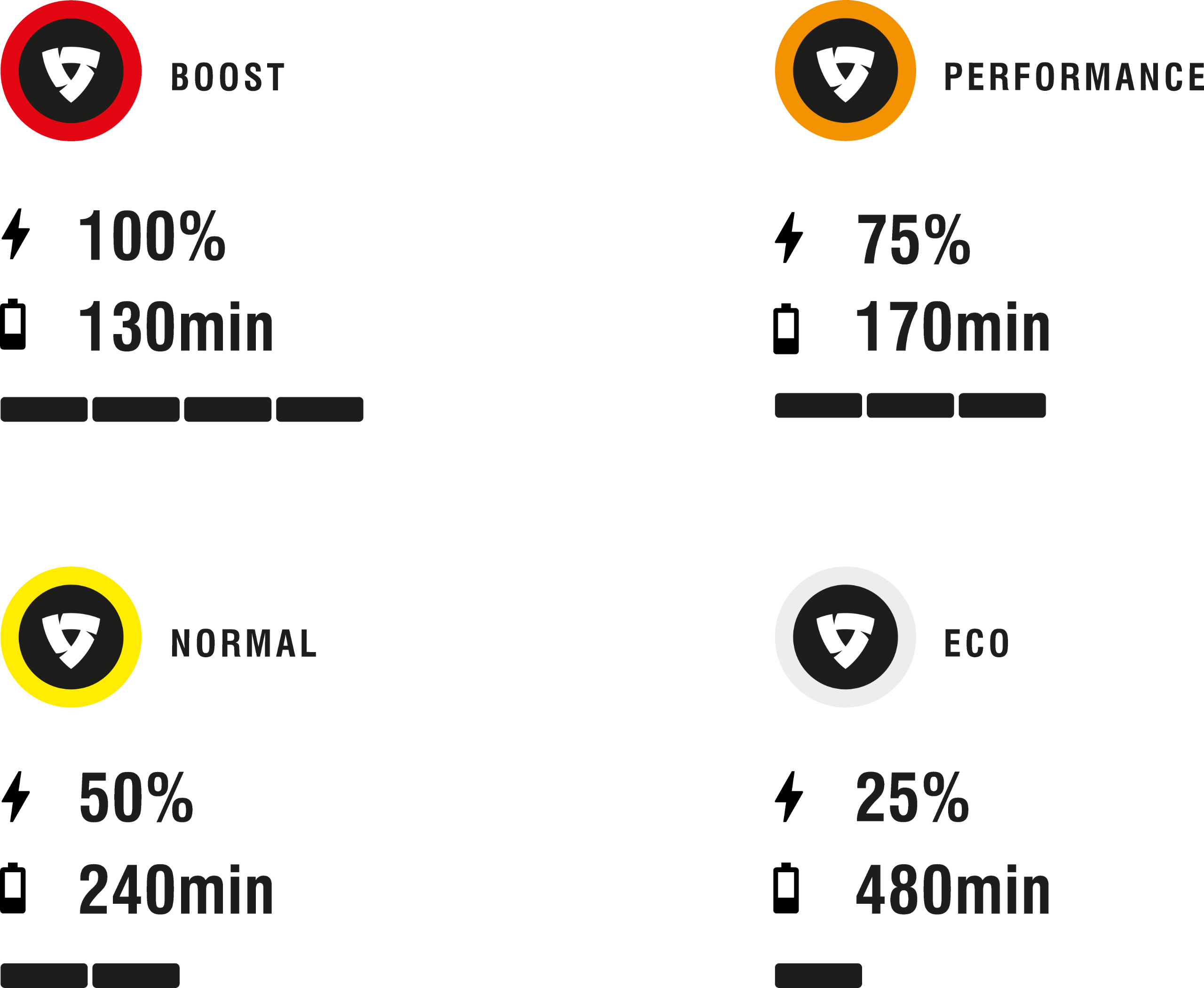
04. To control heat levels, push the glove control button to reach your desired settings.
05. To TURN OFF or TURN ON the gloves, press and HOLD the gloves touch control button for approximately 3 seconds. If you don’t plan on using the gloves for more than a few days, unplug both batteries from the gloves.
If the gloves are not used for 30 minutes, they will enter a “power save mode”. To reactivate the batteries, press and hold the side battery power button for 3 seconds until the battery indicator lights come on.